Bookmarkwise: a Claude Code skill that cleans up Chrome bookmarks
How Bookmarkwise plans bookmark changes with Claude Code, applies them through a one-off Chrome extension, and keeps a backup and undo.
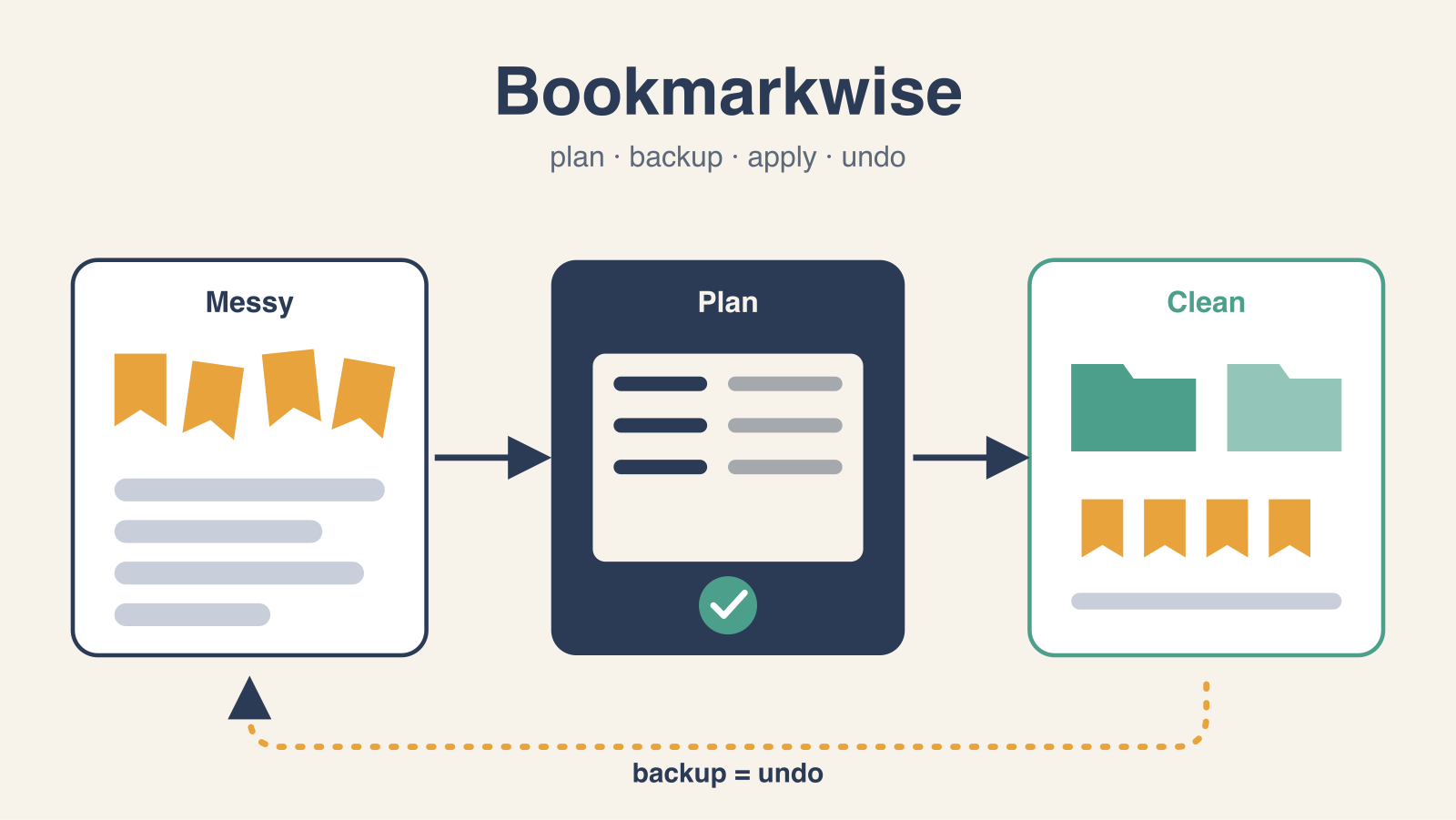
Bookmarkwise is a Claude Code skill that cleans up Chrome bookmarks. It is released under the MIT license.
You say “clean up my bookmarks” in Claude Code. Claude asks how you want your bookmarks named, organized and pruned. Then it shows a plan, and it changes nothing until you approve it. The changes go through Chrome itself, after a backup.

The five steps
- Inventory. A Python tool reads the profile’s
Bookmarksfile. It finds exact duplicates, near duplicates, junk links and messy titles. - Style. Claude asks how to name bookmarks, which folders to keep, what to remove and what to sort. Each option uses three of your own bookmarks as the example.
- Plan. Claude shows tables: what to delete and why, what to rename, what to move, what to sort.
- Extension. Claude writes a small one-off extension that holds only the approved plan. You load it, click Backup, then click Apply.
- Check. Claude reads the bookmark files again and confirms that every change is there.
The answers from step 2 go into a style file (~/.config/bookmarkwise/style.json), so the next cleanup starts with one question: same style or not.
What the inventory finds
The inventory flags URL kinds and title issues. On the demo profile (25 bookmarks in 5 folders) it reports 2 exact duplicate groups, 2 near duplicate groups, 13 flagged bookmarks and 1 empty folder.
- Same page with different decoration: an article saved with and without
?utm_source=newsletter. - Pinned page state: a sprint board saved with
?selectedIssue=HAR-311in the URL. - Local links:
http://localhost:3000/, an address on the home network. - Login redirects:
…/login?next=%2Fdashboard, which can point straight at the dashboard. - Messy titles: “ACME CORP - SPRINT BOARD - Agile Board - Jira”, a URL as the title, two bookmarks both called “Board”.
javascript: bookmarklets are flagged but kept by default, because they are tools, not pages.
Why an extension writes the changes
Chrome gives three ways to reach bookmarks.
The Bookmarks file in the profile folder is the best source to read. It is not safe to write. Chrome rewrites it while it runs and keeps an encrypted copy next to it. With sync on, the server copy can undo edits made behind Chrome’s back.
Browser automation on chrome://bookmarks does not work, because chrome:// pages are closed to automation.
An unpacked extension with the bookmarks permission uses Chrome’s chrome.bookmarks API. Changes apply at once, sync normally and act on exact bookmark IDs.
So Bookmarkwise reads the file to make the plan and writes through the extension. The bookmark IDs in the file are the same IDs that the extension API uses. This ID match joins the read side to the write side.
Safety rules in the code
- The Python package only reads the bookmark files. Nothing in it writes them.
- A plan must be approved before an extension can be built from it. Approval records the plan’s hash, so a plan edited after approval does not build.
- The Apply button stays locked until you download a backup of every bookmark in the profile.
- Before it changes anything, the extension checks every target bookmark: same title, same URL, same folder as when the plan was frozen. If one differs, it changes nothing.
- A folder is deleted only when it is empty.
- A plan applies once. The extension refuses to run it again.
- The extension is built on your machine from a template in the repo (
bookmarkwise/extension_template/), so you can read its code before you load it. It asks only for thebookmarkspermission. The optional dead-link check is the only part that uses the network, and it runs only after you agree.
The backup is also the undo. bookmarkwise undo turns it into an undo plan that re-creates deleted bookmarks, restores titles, URLs and order, and removes the folders the plan created. Re-created bookmarks get new IDs.
Tests
CI runs the unit tests on Python 3.10, 3.12 and 3.13.
An end-to-end test runs the demo plan in a real browser with a throwaway profile. It checks that a plan with drift is refused with nothing changed, that all 28 operations apply, that the bookmarks file shows them, and that the undo restores the original titles, URLs and order. CI runs it on Chrome for Testing, because branded Google Chrome ignores --load-extension.
Install
From inside Claude Code:
/plugin marketplace add JCPetrelli/bookmarkwise
/plugin install bookmarkwise@bookmarkwise
Or clone the repo and run just install, which links the skill into ~/.claude/skills. It needs Python 3.10 or newer, with no packages, and Chrome on macOS, Linux or Windows.
Limits
- Tests use Chrome for Testing 156 on macOS, and Linux in CI. Brave, Edge, Vivaldi and Chromium keep the same files and API (
--browser brave), but they are not tested. - You load the extension by hand (Developer mode, Load unpacked). Chrome lets only the user add an unpacked extension.
- If the plain
Bookmarksfile looks older than Chrome’s encrypted copy, the inventory warns and Claude stops.
The code, the demo profile and the full walkthrough are on GitHub.
This article is also on Medium.