Amazon Order Reporter
A Manifest V3 Chrome extension that exports amazon.de order history for a chosen period as a per-item CSV.
About
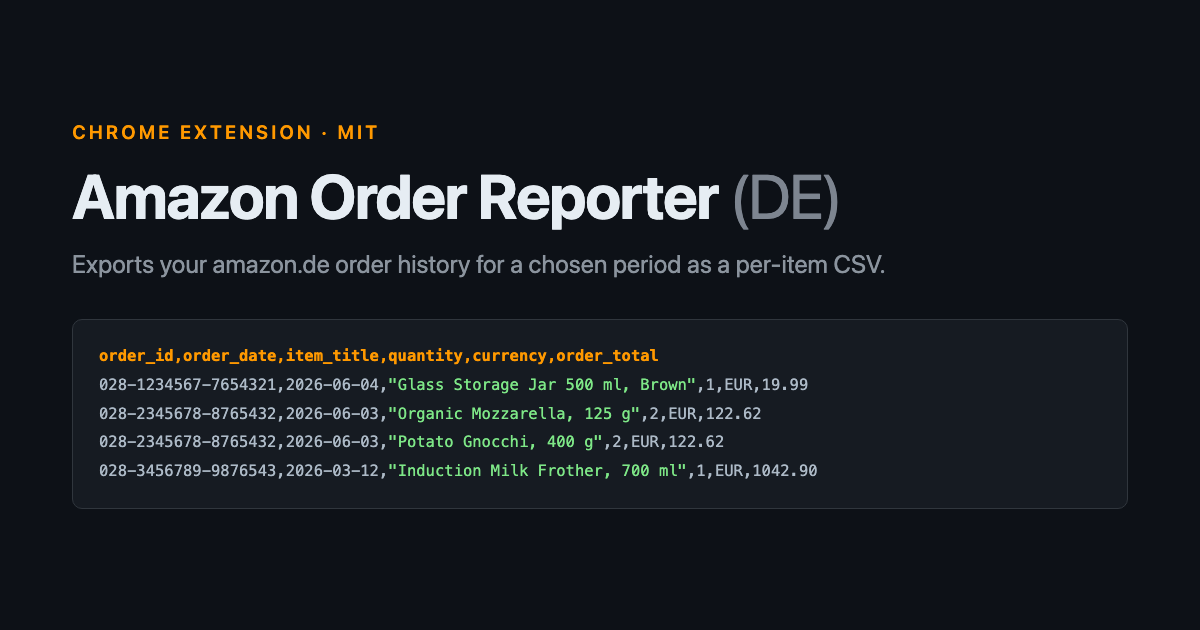
Amazon shows you your order history and gives you no way to export it. The order history report exists on amazon.com but not on amazon.de. Amazon Order Reporter is a Manifest V3 Chrome extension that walks every page of a chosen period and writes one CSV row per product, not per order.
Everything runs locally in your own logged in browser session. The extension talks to no server other than Amazon’s, and the CSV never leaves the machine.
Output
order_id, order_date, item_title, quantity, item_price, currency, order_total, order_url
UTF-8 with a BOM and CRLF line endings, so Excel opens it with umlauts intact. Dates are normalised to ISO from either English or German month names, and totals are parsed with either dot or comma decimals.
Features
- Walks every page of a period by following Amazon’s own Next link, rather than constructing pagination URLs
- Reads grocery and Fresh orders, which render as a thumbnail grid with no product title links
- Crawl runs in the background service worker, so closing the popup does not cancel the run
- Progress and the finished CSV are held in
chrome.storage.local, so a refused download can be retried without re-crawling - Periods: last 30 days, past 3 months, and each of the last seven calendar years
- 25 unit tests against a synthetic fixture, no browser required
- MIT licensed, no dependencies at runtime
How it works
Amazon’s order history is a React application. A plain fetch() of the orders URL returns an empty shell with no order data, so the extension navigates a real tab, waits for it to hydrate, and reads the live DOM through a content script.
The service worker owns the crawl loop, the CSV, and the download. The popup only reads run state. Chrome tears a popup down as soon as it loses focus, which is fine for one page load and not fine for the five or more a calendar year takes.
Since a service worker has no URL.createObjectURL, the CSV is handed to the downloads API as a base64 data: URL rather than a blob URL.
Limitations
amazon.de only. No per-item prices, because Amazon does not show them on the order list page. Grocery baskets are truncated by Amazon itself at around fifteen visible thumbnails.
Installation
Not on the Chrome Web Store. Clone the repository, open chrome://extensions, enable Developer mode, and use Load unpacked on the folder containing manifest.json.